Compromeez 1.3 released with contact form feature, Laravel 13, and more
I didn't publish the article for version 1.2 release because I was too lazy to create it 😅. Now, I want to get serious on my projects.
Let's find out what's new on this release.
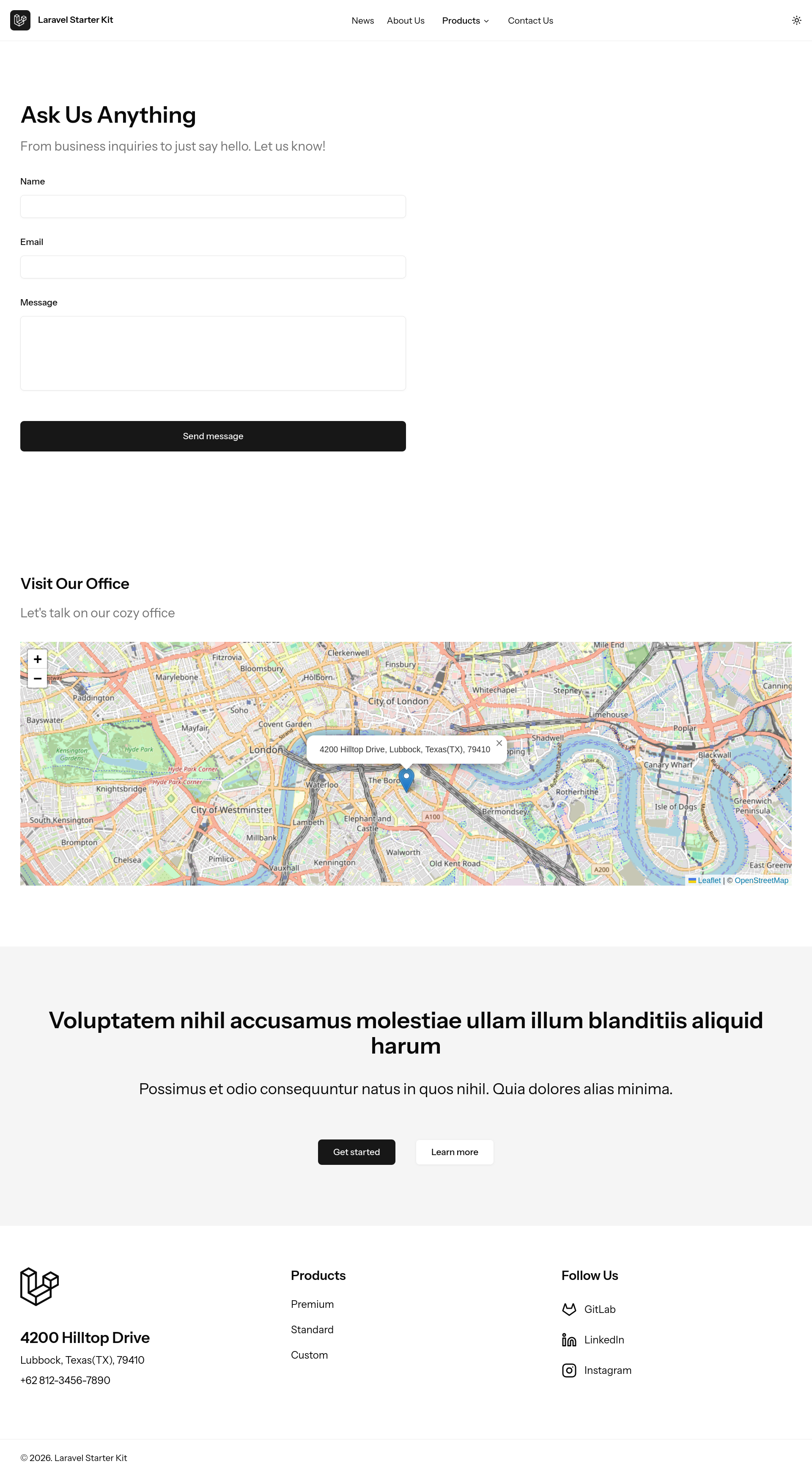
Contact page template
We know some business owners want to have contact form on their website. With the social media as the common way for people to reach out the company or the business owner, I've seen most websites don't include them. However, some old-style or classic website design still including contact form as one of the official way to reach out to the company or the business owner.
Pre-requisites
We use 'email' => 'email:rfc,spoof' as the default configuration for email validation.
If you want to validate email input with DNS checking validation by adding dns to the configuration, make sure you have PHP php-intl extension installed as instructed at Laravel's email validation documentation.
We don't use DNS checking by default so it will pass the contact form submission test.
Spam protection
To prevent spam submitted by bots through the contact form, I use spatie/laravel-honeypot to solve this problem.
The customization for spam protection is simple and straightforward. You can publish the configuration using Artisan command:
php artisan vendor:publish --provider="Spatie\Honeypot\HoneypotServiceProvider" --tag="honeypot-config"
or, add the corresponding configuration key to the .env file.
Office location map
If you need a map to show office location, we use the lightwight and simple, Leaflet, to get the job done.
To configure the location, tile layer, and other objects, open Contact.vue file and adjust the code at onMounted() function.
onMounted(() => {
const map = L.map('map').setView([51.505, -0.09], 13)
L.tileLayer('https://tile.openstreetmap.org/{z}/{x}/{y}.png', {
maxZoom: 19,
attribution:
'© <a href="http://www.openstreetmap.org/copyright">OpenStreetMap</a>',
}).addTo(map)
L.marker([51.5, -0.09])
.addTo(map)
.bindPopup('4200 Hilltop Drive, Lubbock, Texas(TX), 79410')
.openPopup()
// ...
})
View and reply messages
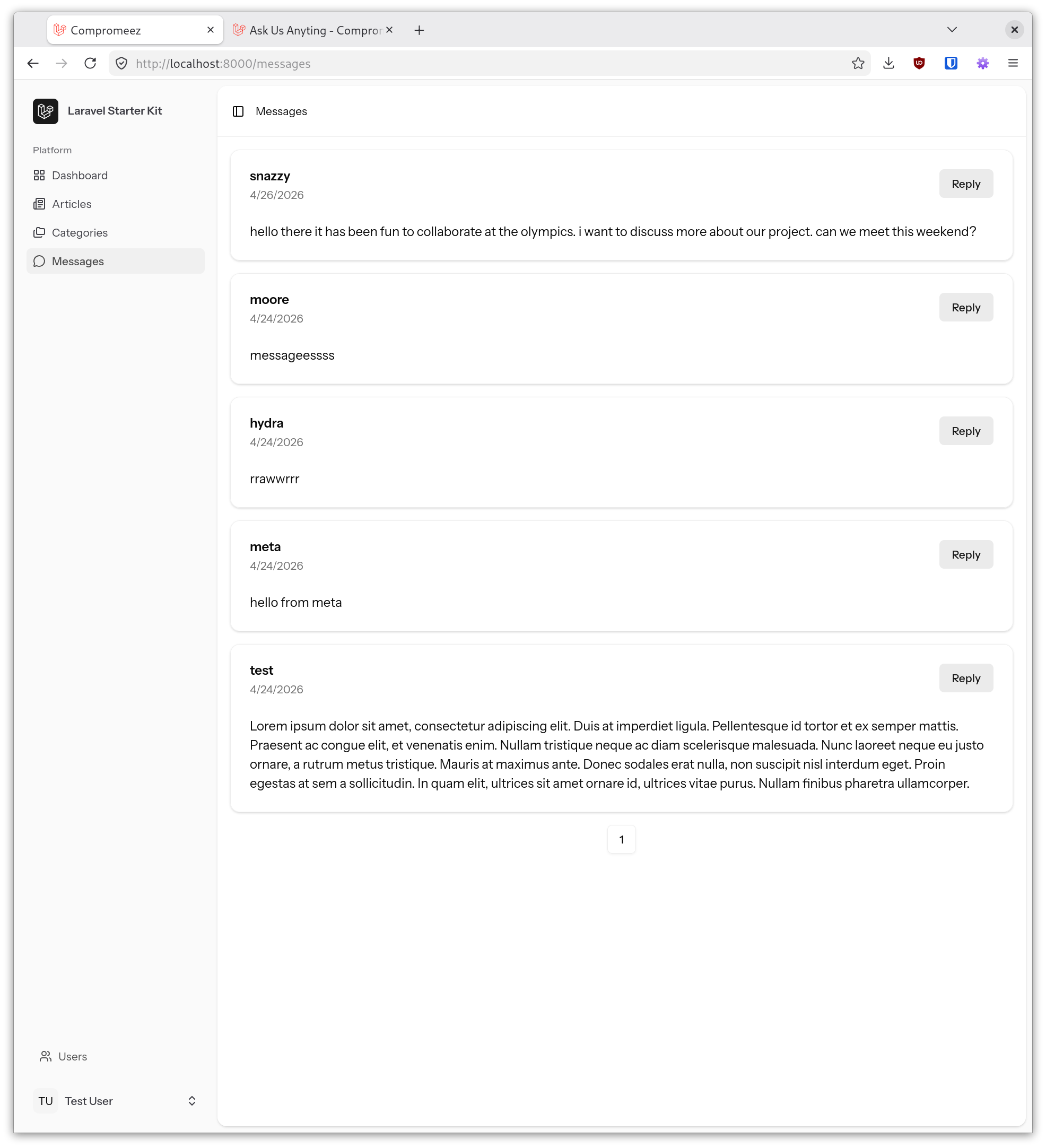
The messages sent from contact form will be showed on admin page. The Reply button is added to quickly open the mail client to respond to the message.
Laravel 13
Compromeez 1.3 uses the latest and recently released, Laravel 13. Fortunately, this upgrade doesn't have any breaking changes. At least, not in my use case.
If you have any issues regarding Laravel 13 features after upgrading to version 1.3, please submit an issue on the GitLab.
Bug fixes and maintenance
This release also comes with several bug fixes and updating outdated PHP and Node.js dependencies:
- Broken avatar image
- No social media links on about page
- Outdated PHP packages
- Outdated Vue packages
- Outdated JavaScript dependencies
- Outdated TypeScript package
Check out detailed changes on the merge request for contact form feature.
Upgrading from v1.2
Upgrading from previous version requires you to run Composer install and migration command in order to install spatie/laravel-honeypot package and contact form table.
composer install && php artisan migrate
To show the map using Leaflet, you need to run npm install command to add Leaflet package to your project.
npm install
Try Compromeez for your next company profile building freelance project 😉
Have you tried Compromeez? Share your thoughts in the comments.